
Panel
Panels serve as containers for sections and give you the option to arrange several sections together and add another level of hierarchy above controls and sections.
REMINDER
This is only a brief demonstration of how to create a panel using the Customizer API. For additional information about Panel, please check the official panel documentation.
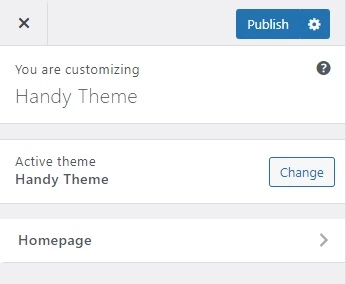
Demonstration
Handy::panel([
    'id'          => 'homepage_panel',
    'title'       => esc_html__( 'Homepage', 'textdomain' ),
    'description' => esc_html__( 'Description Here', 'textdomain' ),
    'priority'    => 1
]);
Parameters
| Name | Description |
|---|---|
| id |
The unique slug like string to be used as an ID. |
| title |
The title or label of the panel to show in the UI. Default empty. |
| description |
The description of the panel to show in the UI. Default empty. |
| priority |
The order of panels appears in the theme customizer sizebar. Default |