
Section
Sections serve as containers for controls and give you the option to arrange several controls together. Also, sections can be added to the panel.
REMINDER
This is only a brief demonstration of how to create a section using the Customizer API. For additional information about Panel, please check the official section documentation.
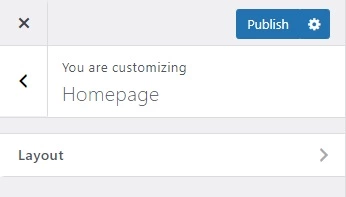
Demonstration
Handy::section([
    'id'          => 'layout_section',
    'panel'       => 'homepage_panel',
    'title'       => esc_html__( 'Layout', 'textdomain' ),
    'description' => esc_html__( 'Description Here', 'textdomain' ),
    'priority'    => 1
]);
Parameters
| Name | Description |
|---|---|
| id |
The unique slug like string to be used as an ID. |
| panel |
The |
| title |
The title or label of the section to show in the UI. Default empty. |
| description |
The description of the section to show in the UI. Default empty. |
| priority |
The order of sections appears in the theme customizer sizebar or panel. Default |